Digital Microscope with Screen: See Small Details on the Color Display
Product specifications
| Brand | Wonder Kids Toy |
|---|---|
| SKU | SU00022544-White |
| Type | Science Toys |
| Variants | 3 |
Explore by doing · Choose your activity
Digital Microscope with Screen
Use this digital microscope with a screen to look closely at a small surface detail on its own color display. This handheld digital format gives an adult and child a shared image to discuss, rather than requiring both to look through a simple optical eyepiece. Choose White, Orange or Brown, then confirm the selected device’s power and accessory details before beginning an observation.
Handheld Microscope for Kids with Screen
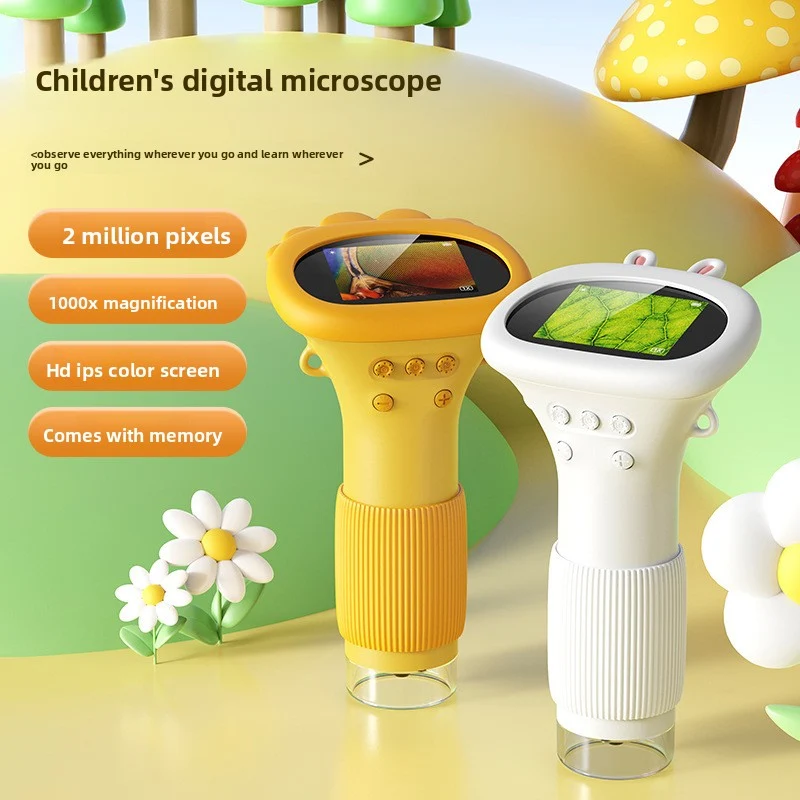
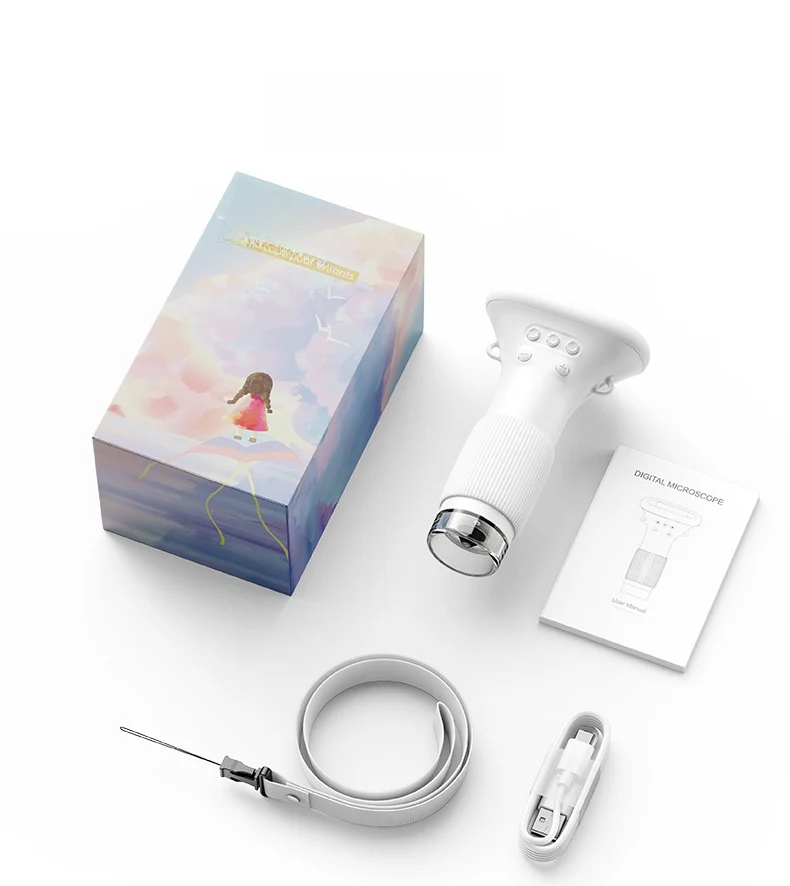
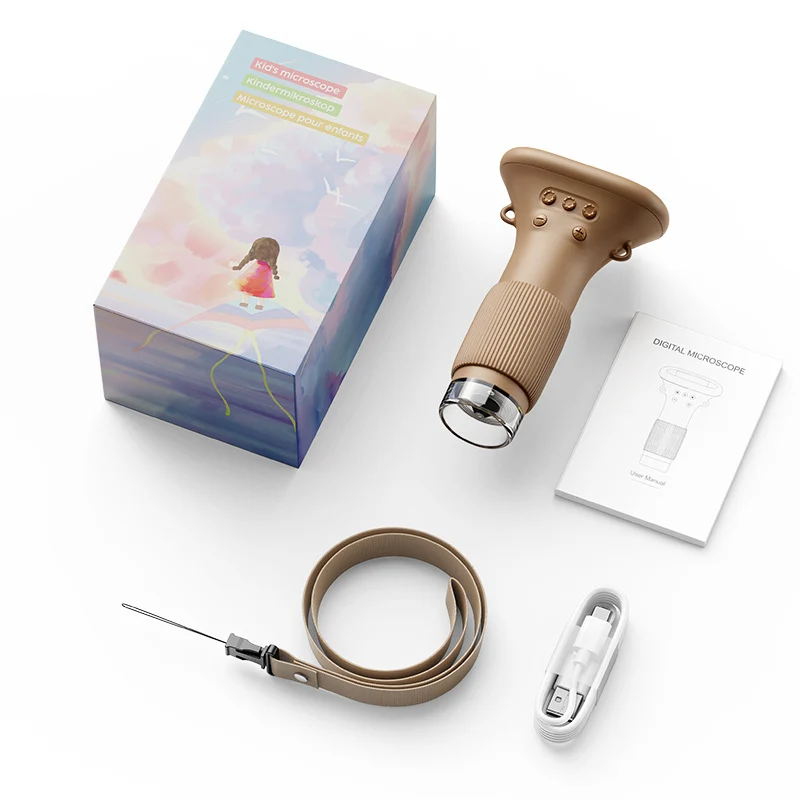
Look at a leaf or fabric sample on the microscope itself. This children’s digital microscope has a built-in color screen pictured above its handheld body. White, Orange and Brown are the current color labels, making this a different format from a simple optical microscope or an observation viewer without a display.
Features to Compare
- Built-in color screen pictured.
- Handheld microscope format.
- Three listed color choices.
- Close-up comparison of suitable samples.
Learning Through Play
Choose a clean, non-hazardous sample with an adult. Follow the supplied focusing directions, then compare two parts of the sample on the screen. Sketch the details you can actually see and label the difference. Return to the same sample later rather than assuming a higher advertised magnification always produces a better image.
Why Families May Choose This Format
The display gives an adult and child a shared view to discuss. A short observation notebook can preserve discoveries without making extra accessories a requirement.
Choosing the Right Option
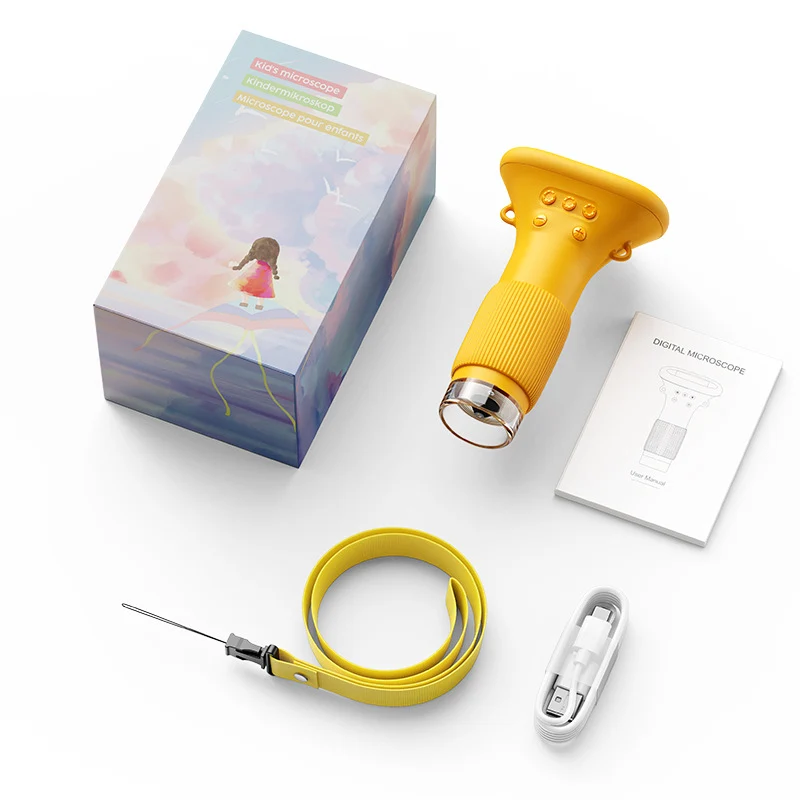
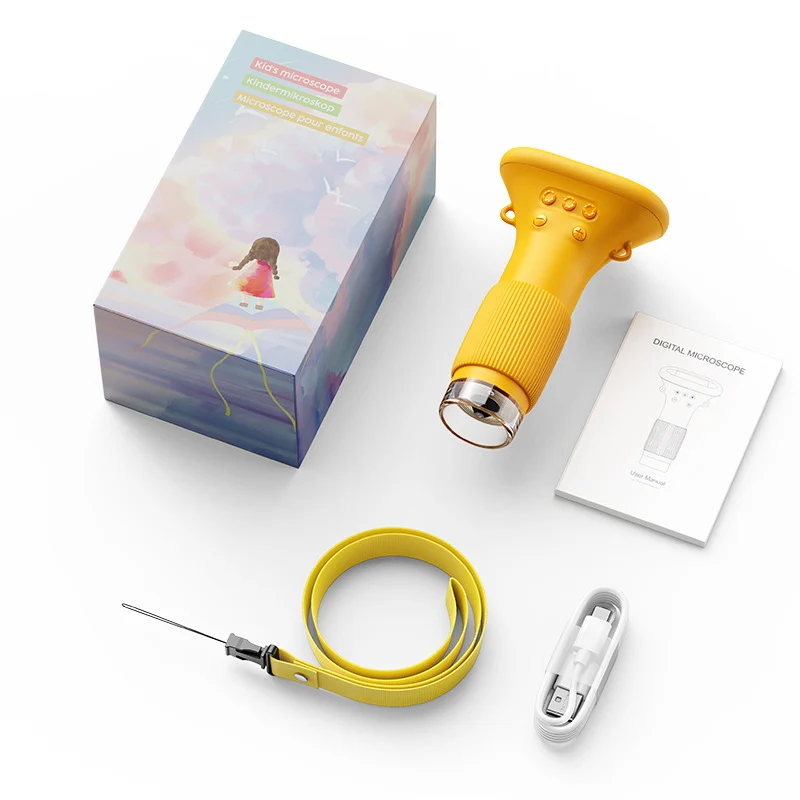
Choose White, Orange or Brown in the selector. Some gallery images look yellow; that does not create a fourth selectable color. USB cables and accessories are pictured, but their complete inventory, battery capacity and included memory are not established for each color.
Product Details
- Color labels: White, Orange and Brown.
- Built-in color display pictured.
Supervised Use and Care
Use only adult-approved samples. Keep liquids away from the screen and power areas and follow the supplied charging and optical-care guidance.
Before You Choose
Select the listed microscope color and check its power and accessory information before your first observation.
Explore related STEM Toys for Kids: Science, Engineering & Coding.
Choose a sample with one clear question
With an adult, select a clean, non-hazardous object such as an appropriate piece of paper or fabric. Ask what detail you want to compare: the visible weave, a printed edge or a difference between two areas. Follow the supplied focusing directions and describe only what is actually visible on the screen.
Keep the first comparison small. Looking at two areas of one sample can be clearer than changing objects repeatedly. The device is an observation tool, not a medical diagnostic instrument; do not use a magnified view to identify a health condition or make a claim that the image cannot support.
Make a simple observation record
Draw a quick sketch of the detail you can see and label the sample. If you return to it, try to keep the viewing arrangement consistent according to the device’s instructions. A notebook can preserve the comparison without assuming that a particular photo-saving or computer-transfer function is included.
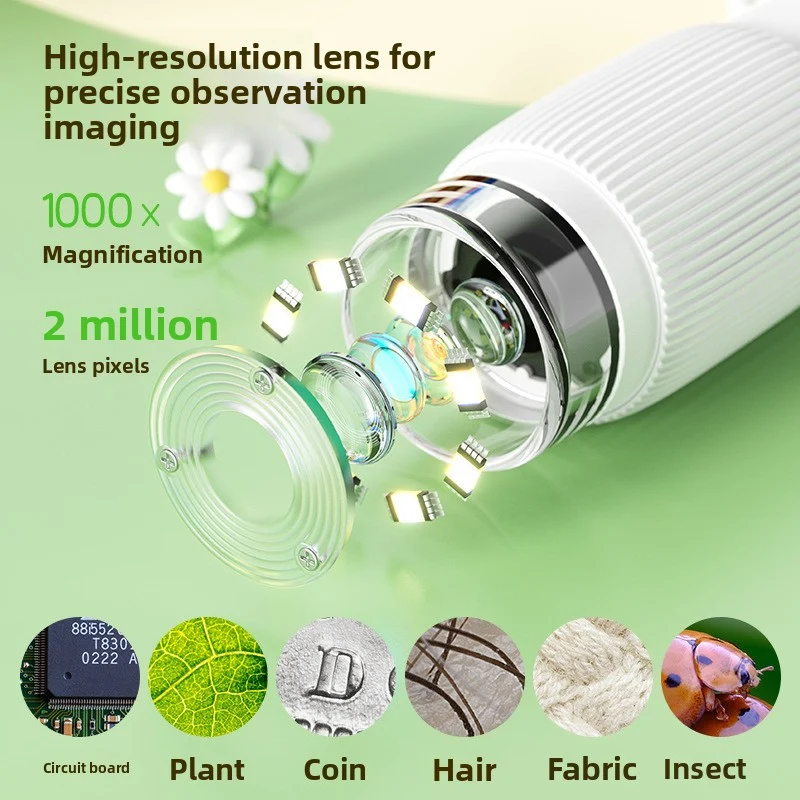
A larger advertised magnification does not by itself establish a clearer or more useful image. The gallery contains promotional optical and memory wording, but verified performance, included memory capacity and a common accessory inventory are not established for each color. Choose based on confirmed functions rather than a headline number alone.
Check the handheld display format and exact color label
White, Orange and Brown are the current selectors. Some gallery examples appear yellow; that does not create a fourth selectable color or confirm an additional model. Match the complete selected label with its package before ordering.
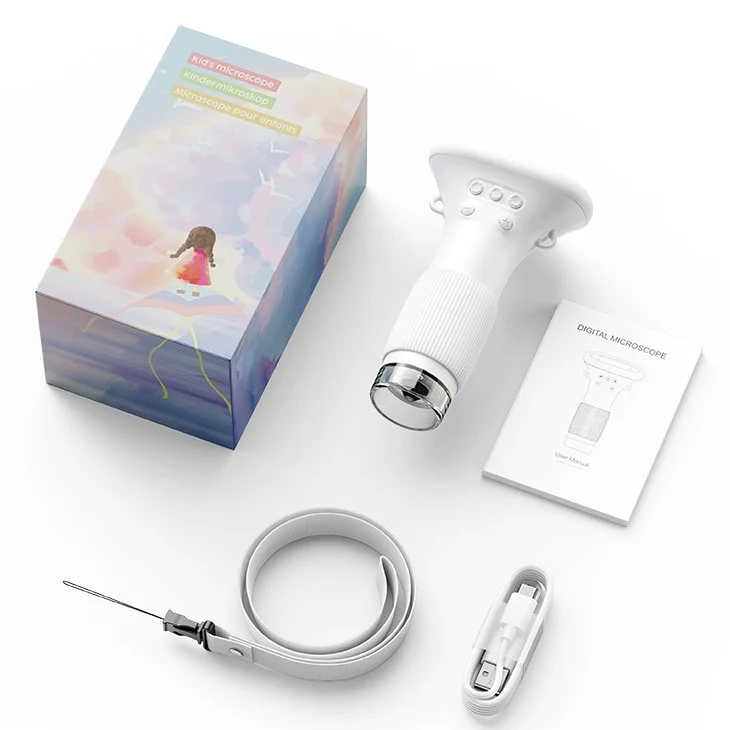
USB cables, manuals and straps appear in package photographs, but their complete color-by-color inventory and cable functions are not confirmed. An adult should verify the actual power and charging directions and keep liquids away from the screen and electrical areas. A cable photo is not a complete charging specification.
Commonly Asked Questions by Parents
Does the microscope have its own display?A built-in color screen is visible above the handheld body in the inspected gallery. This distinguishes the pictured format from a simple optical eyepiece viewer without a display.
Which color labels can I choose?White, Orange and Brown are the three current options. Some gallery photographs look yellow, but the selector does not list Yellow as a separate fourth choice.
What is a suitable first observation?With an adult, choose a clean, non-hazardous sample that the instructions permit, such as appropriate paper or fabric. Focus as directed and compare two visible areas rather than making unsupported claims about the material.
Can an adult and child discuss the same image?The built-in display offers a shared picture to discuss. Name details actually visible on the screen and compare them with the sample, rather than requiring a particular discovery or treating every enlarged pattern as scientifically identified.
Is a specific magnification performance guaranteed?No independently tested magnification or image-quality guarantee is made. Promotional gallery figures should be considered alongside the actual model’s focusing instructions and verified specification rather than assumed to promise laboratory performance.
Is memory included with every color?Included memory capacity is not established for each color. Do not assume a particular storage amount or removable card from promotional wording. Confirm any required saving feature before buying specifically for it.
Are cables, a strap and a manual included?These accessories appear in package photographs, but a complete shared inventory across the three color choices is not confirmed. Check the selected package when a specific accessory is essential.
What power source or battery does it use?Battery capacity and exact power details are not established here for each selection. An adult should confirm the supplied operating and charging instructions before choosing equipment or beginning setup.
Does a pictured USB cable prove how charging works?No. A cable photograph does not confirm its charging or data role, connector type or compatible electrical input. Use the actual model’s instructions and verified requirements rather than guessing from another microscope.
Can we record observations without a digital saving feature?Yes. A suggested activity is to sketch the visible detail and label the sample in a notebook. This does not depend on an unverified photo-storage or computer-transfer function.
Is it a medical diagnostic tool?No medical diagnostic use is established. Use it only for appropriate observation activities and do not interpret a magnified image as a health assessment or a laboratory identification.
What age and care guidance applies?Follow the selected package’s age label and optical-care instructions. An adult should approve samples and manage setup. Keep liquids away from the screen and power areas and do not aim optical equipment at the sun.
What should I confirm before ordering?Confirm the color, actual power requirements, selected accessory inventory and any essential storage or optical feature. Choose the handheld screen format rather than assuming all promotional specifications apply identically to every package.
Choose a thoughtful next activity
Compare the selected option with the activity you want to share. Review its pictured contents and supplied age guidance, make a manageable starting space and allow time for the child to notice, try and explain. Choose the complete option name above when you are ready.
Questions about this product
Is Digital Microscope with Screen: See Small Details on the Color Display in stock?
Yes — 45 units are available and ready to ship from our US warehouse.
How fast will Digital Microscope with Screen: See Small Details on the Color Display ship?
Orders placed before 3:00 PM ET ship the same business day. Delivery takes 3–5 business days inside the USA.
Where does Digital Microscope with Screen: See Small Details on the Color Display ship from?
It ships from the United States. Standard delivery is 3–5 business days, and orders placed before 3:00 PM ET go out the same day.
All variants (3)
| Product specifications | SKU | Price | Stock |
|---|---|---|---|
| White | SU00022544-White | $8.60 | In stock |
| Orange | SU00022544-Orange | $8.60 | In stock |
| Brown | SU00022544-Brown | $8.60 | In stock |